We've solved many customer problems with Meraki solutions, and some good examples that apply to...
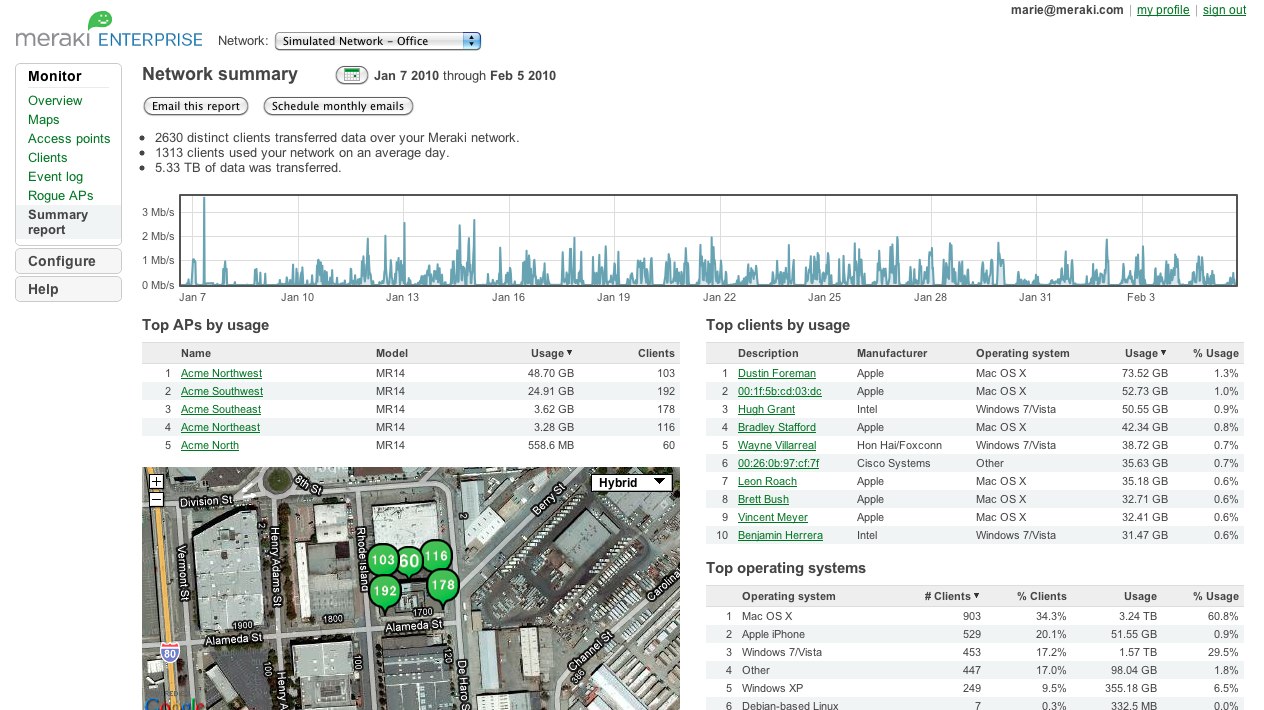
The Cisco Meraki dashboard is a powerful browser-based tool that provides strong visibility, control, and security for your network. While the benefits of the Meraki dashboard certainly sound great on paper, being able to actually see the Meraki dashboard in action can provide you with a much greater appreciation for what it's capable of.Fortunately, Cisco offers a free Meraki dashboard demo to provide just such a look. To get started with your free demo, just click the link above, register, and then sit back and watch as you learn about all of the powerful features and capabilities offered by the Meraki dashboard.
What's Involved with a Meraki Dashboard Demo?
This post will provide a brief overview of some of the things you can expect to see during your Meraki dashboard demo. However, keep in mind that the best way to experience the demo is to sign up and watch the demo for yourself!
Geographic View
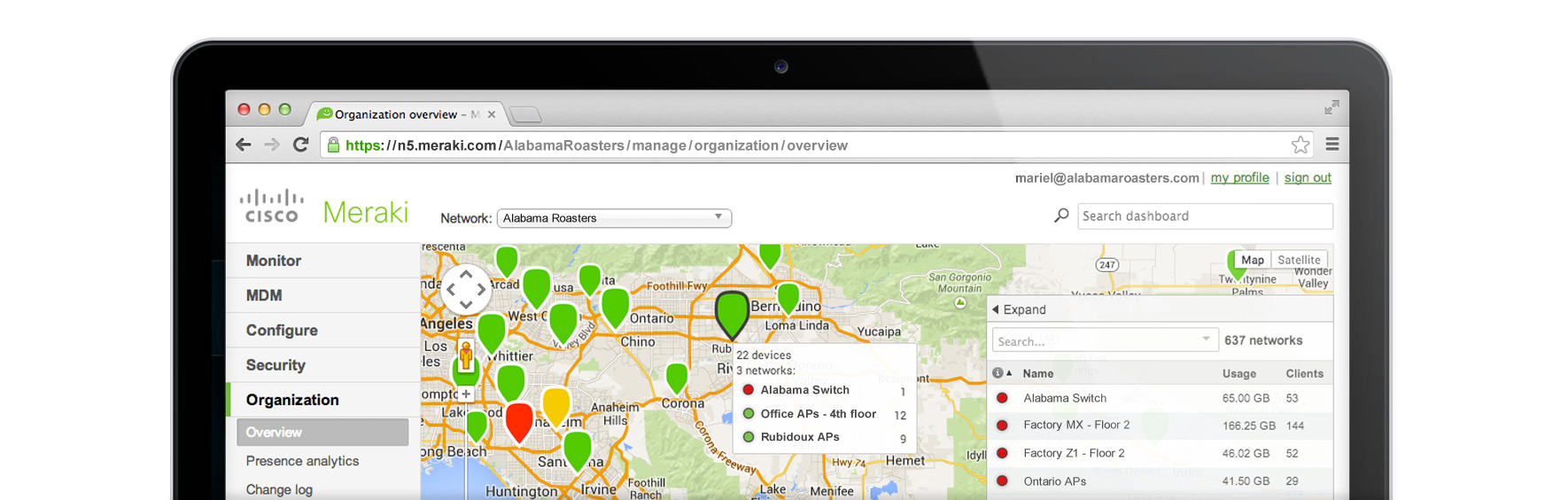
Among the many powerful features included in the Meraki dashboard is the ability to quickly move from a global view to a building-specific or even device-specific view. The demo shows how Meraki users can start with a complete view of all devices from across the world, and then use different colored icons to zoom in quickly on the area and devices that they're most interested in. The ability to go from global to local in a matter of seconds demonstrates how Meraki provides a powerful mix of visibility and control.
Clients Page
The demo also shows how network managers can use Meraki's Clients page to troubleshoot networks from a different perspective. The Clients page provides access to data on Meraki access points, switches, and security applications, all on one easy-to-use screen.
The best part is that the amount of data you can access from this screen is truly limitless; the more Meraki devices you have, the more data you'll be able to aggregate, and the more value you'll get out of the Clients page. The demo also covers search options you can use to find the devices that interest you, and make sense out of all this data.
Firewall Rules
Managing a network effectively requires the ability to limit exactly what your customers can and can't do. The Meraki dashboard demo shows how you can use firewall rules to prevent certain groups or individuals from using certain applications. In addition, the demo will also show you how to use traffic shaping for those applications you want to limit, but not outlaw altogether.
Systems Manager
Finally, the demo will cover how to use Meraki Systems Manager for effective mobile device management. Once again, the demo will show you how easy it to gain visibility and control using the Meraki dashboard. With Meraki, you can search to find the device or devices that interest you the most, and then manage them remotely. This could include deleting devices that have been lost or stolen, doing selective wipes on certain devices, or doing a remote app installation.
Next Steps
Once you've seen the demo, you can move on to trying a Meraki access point for yourself. Simply attend an upcoming Meraki webinar and you'll be eligible to receive a free Meraki AP for your organization. Sign up for your Meraki webinar today!
You must stay for the entirety of the webinar to receive your free AP. Other restrictions may also apply.